



Why Data-Driven Testing Beats Guesswork Every Time
Summary
- A/B testing on Shopify compares two versions of a page to see which one produces more conversions and revenue.
- Most Shopify stores convert only 1–2% of visitors, so small conversion gains can create meaningful revenue growth.
- Reliable A/B tests need several hundred visitors per week for each version and should run at least two to four weeks.
- Product page elements like headlines, CTAs, images, and social proof are usually the highest-impact places to start testing.
- Data from ongoing tests helps Shopify merchants decide which design and content changes to keep and which to discard.
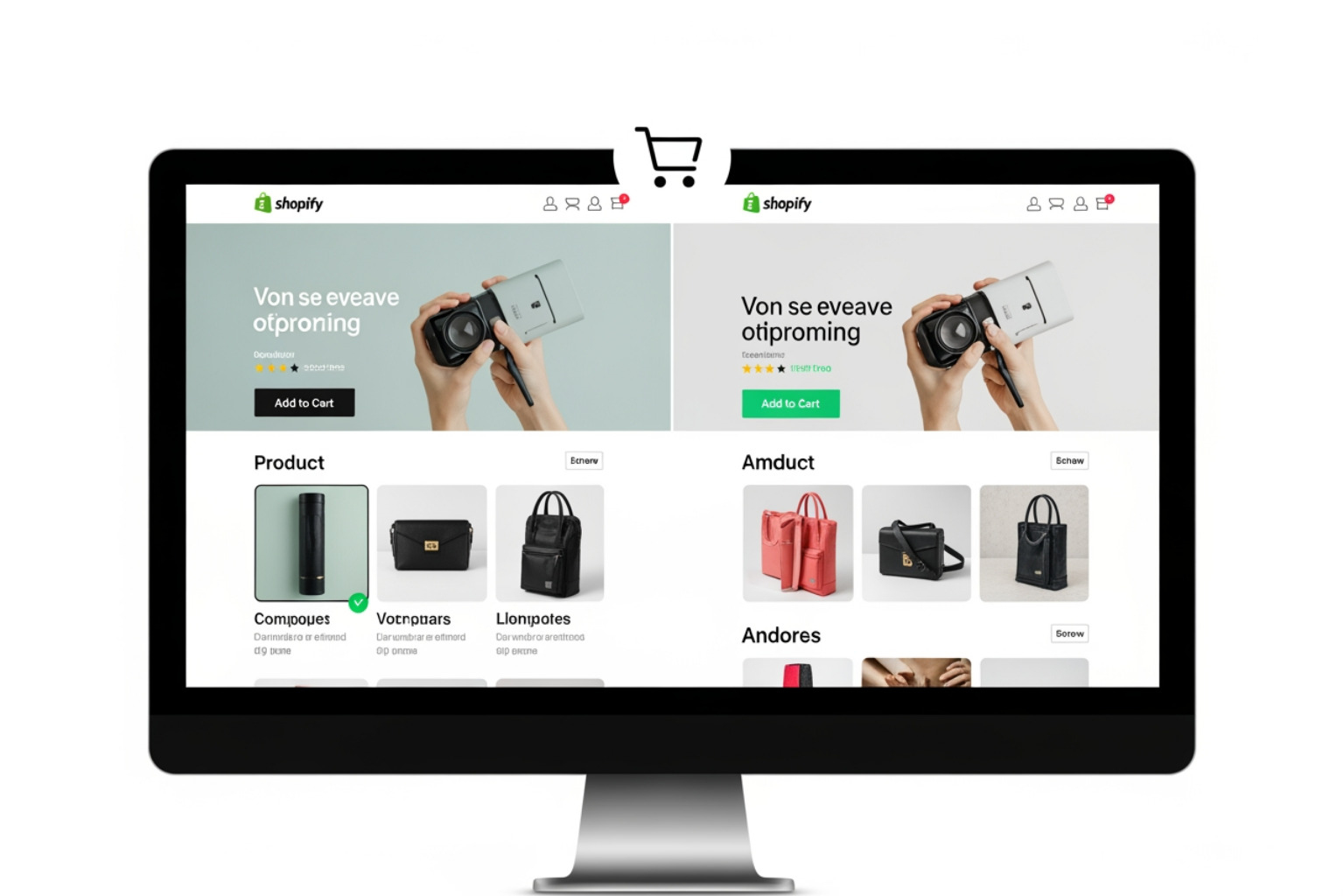
Most Shopify stores convert at just 1-2%, meaning for every 100 visitors, 98 or 99 leave without buying. A B testing Shopify pages systematically finds the changes that turn more of those visitors into customers. Small improvements add up across your funnel—a 5% increase in product page clicks combined with a 3% improvement in add-to-cart rate creates meaningful revenue gains.
The alternative to testing is guessing. You might copy a competitor's layout, try a trending design, or follow generic best practices. Sometimes those changes help, but often they don't. Without data, you risk spending time and money on modifications that may hurt performance. Testing replaces assumptions with evidence.
As Steve Pogson, founder of First Pier, I've spent over two decades helping e-commerce brands use A B testing Shopify strategies that drive measurable growth. Here at First Pier, we've seen how systematic testing can change a store's performance by focusing on what actually works for its unique audience.
The Foundation: What A/B Testing Is and Why It Matters for Shopify
A/B testing is essential for any Shopify store looking to make data-driven decisions instead of relying on guesswork. Most Shopify stores have conversion rates around 1-2%, which represents a significant amount of lost revenue. My goal with A/B testing is to systematically improve that percentage, converting more of your traffic into paying customers. Even small improvements add up. A 5% increase on a product page, combined with a 3% improvement in the add-to-cart rate, can lead to substantial revenue gains. Consistent testing can increase conversion rates by 10% or more.
This isn't just about getting more clicks; it's about increasing your revenue per session, which is a key e-commerce metric because it combines both conversion rate and average order value. If you're interested in learning more about how we help businesses improve their conversion rates, I recommend looking at our eCommerce services page.
Understanding the Core Concept
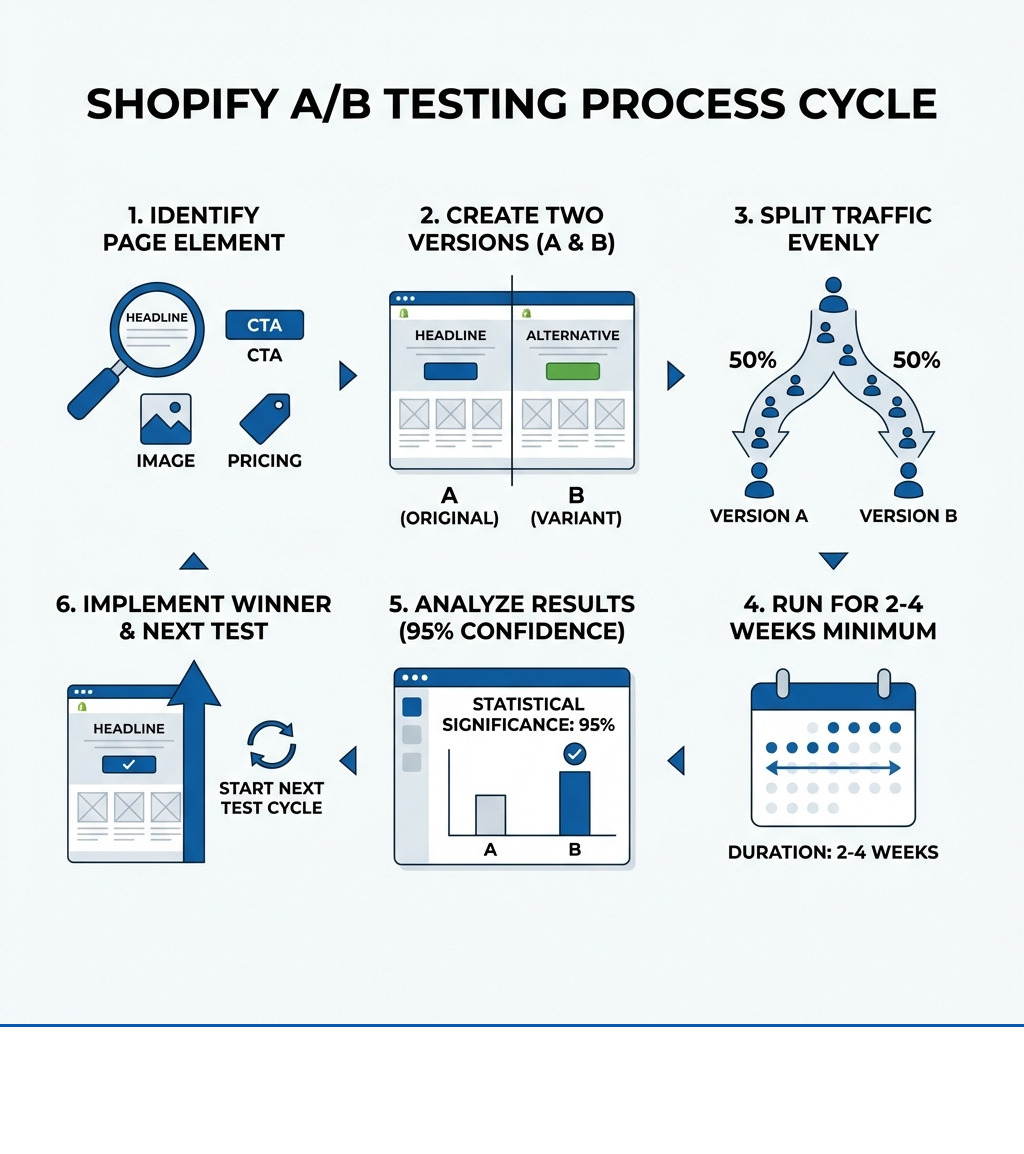
A/B testing, or split testing, is a method of comparing two or more versions of a single element on your website. One version is the "control" (Version A), which is your existing page. The other version is the "variant" (Version B), which includes a specific change you want to test.
You randomly direct equal amounts of traffic to each version and track how users interact with them. For example, when testing a new call-to-action button, you would measure which one gets more clicks. The key is to change only one thing at a time. This allows you to determine if the change in the variant directly caused any difference in performance. This process replaces assumptions with measurable evidence about what works for your audience.
How A/B Testing Directly Increases Shopify Revenue
The direct impact of A/B testing on your Shopify store's revenue is significant. It helps increase your conversion rate by showing you what motivates visitors to act. For instance, a shoe brand saw a 26% increase in revenue per user by changing a small sale badge to a full-width banner.
A/B testing can also affect your Average Order Value (AOV). By testing different product bundles, upsell prompts, or pricing displays, you can encourage customers to spend more.
Reducing cart abandonment is another critical area. Around 70% of shoppers abandon their carts. My team and I have seen how changes to product and cart pages can reduce this number. For example, the Pulse boutique added clear icons to its mobile add-to-cart buttons, which resulted in a 25% increase in revenue per user and a 14% conversion rate lift.
Real-world examples show the impact of A/B testing:
- Snocks PDP Redesign: By redesigning their product detail page (PDP) to be longer and more structured, Snocks addressed buying hesitations and better explained their products. This built trust by answering questions upfront, leading to a 24.5% increase in sales per visitor.
- Peeces Messaging Refresh: Peeces worked with an agency to refresh their messaging and layout to focus on buyer psychology. Their test showed that clearer copy and trust signals gave hesitant shoppers the confidence to purchase, resulting in a 78.9% increase in revenue per visitor.
- Dr. Axe Layout Test: Dr. Axe, a high-traffic site, ran a layout-focused test that created a tighter visual hierarchy. This guided users more effectively to the buy button and produced a 10% conversion lift.
These cases show that from page layouts to button icons, data-backed changes can lead to large increases in revenue, making A B testing Shopify stores a necessary practice.
Preparing for Your First Test: Prerequisites and Key Metrics
Before starting A/B testing, it's important to understand the prerequisites and key metrics. Without the right conditions and measurements, your results might be misleading.
My experience shows that successful A B testing Shopify projects require sufficient traffic, stable products, and solid analytics. If your store has low traffic (a few hundred visitors a month), A/B testing might not be efficient. In that case, user testing or customer feedback may offer a better return. For stores with consistent traffic, however, A/B testing is highly effective. For those looking to refine their data insights, our eCommerce analytics services can help establish the needed tracking.
Essential Prerequisites for Effective A/B Testing on Shopify
To effectively start A B testing Shopify pages, a few conditions must be met:
- Steady Traffic: You need enough visitors to reach a statistically significant sample size in a reasonable time. A practical minimum is several hundred visitors per week per variant. Low traffic means tests will take too long or produce unreliable results.
- Correctly Configured Analytics: You can't improve what you don't measure. Your Shopify store needs correctly configured analytics (like Google Analytics) with clear goals and revenue tracking to compare the performance of your control and variants.
- Stable Products and Pricing: Your product offerings and pricing should remain stable during the test. Other changes or promotions can contaminate your results, making it impossible to attribute performance differences to your test.
- Sufficient Test Duration: A/B tests need to run long enough to capture typical user behavior, including weekday and weekend patterns.
Key Metrics and Statistical Significance
When I run A/B tests, I focus on metrics tied to business goals. For a Shopify store, these usually include:
- Conversion Rate (CR): The percentage of visitors who complete a desired action, like making a purchase.
- Revenue Per Visitor (RPV): This metric combines conversion rate and average order value, showing how much revenue each visitor generates.
- Average Order Value (AOV): The average amount spent per order.
- Click-Through Rate (CTR): The percentage of users who click on a specific element.
- Bounce Rate: The percentage of visitors who leave after viewing only one page.
The goal is to find a winner with statistical significance, which is the confidence that the performance difference is real and not due to chance. We aim for a 95% confidence level, meaning there's only a 5% probability the result is random. Achieving this requires a sufficient sample size. I recommend using a sample size calculator before starting a test.
Determining Test Duration and Sample Size
A common mistake is stopping tests too early. It's tempting to declare a winner when one variant pulls ahead, but early results often don't hold.
The recommended duration for an A/B test is at least two full business cycles, which is usually two to four weeks. This timeframe helps to:
- Account for different user behavior on weekdays and weekends.
- Capture delayed conversions from customers who take time to decide.
- Reduce the impact of external factors like marketing campaigns or holidays.
Calculating the right sample size is related to test duration. A sample size calculator will tell you how many visitors you need per variant based on your current conversion rate, the minimum improvement you want to detect, and your desired confidence level. From there, you can estimate how long the test needs to run based on your traffic.
A Practical Guide to A/B Testing on Shopify
This section covers the practical aspects of running A B testing Shopify experiments, including forming a hypothesis, choosing what to test, and avoiding common mistakes. My team at First Pier often helps clients with these steps to ensure their tests produce useful results. If you need help with your store's technical build, our Shopify development services can provide the support you need.
What to Test: High-Impact Elements on Your Shopify Store
Successful A/B testing focuses on elements with the potential for significant impact. On a Shopify store, these are usually on critical pages like product pages.
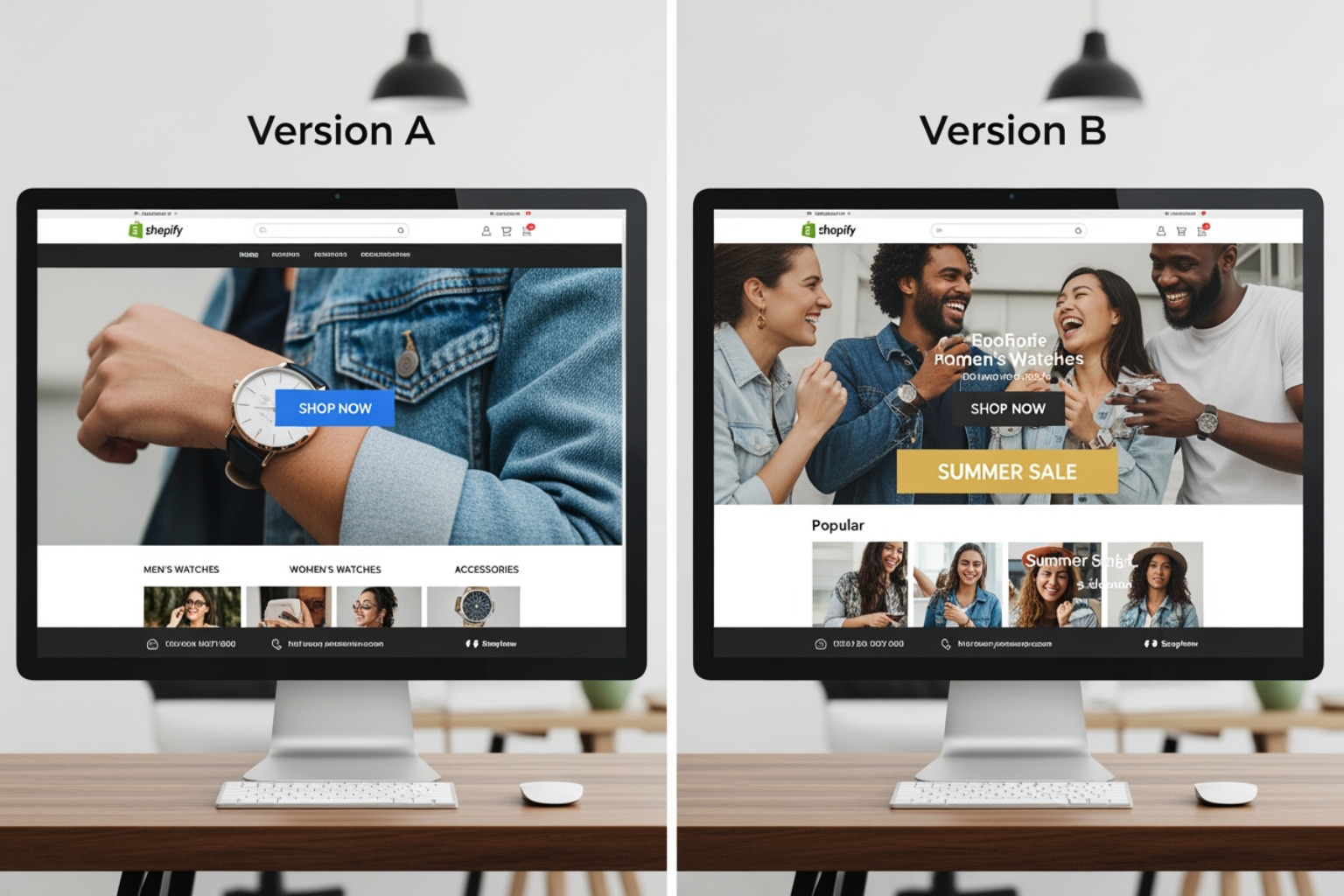
Here are some high-impact elements I recommend testing:
- Product Pages: These are often the most important pages for conversion. Test elements like image layouts, button placements, and pricing displays.
- Headlines and Copy: Test different headers, their style, and messaging. Peeces saw a revenue increase after refreshing its messaging, while Snocks found that longer product descriptions built trust and outperformed minimalist designs.
- Calls-to-Action (CTAs): Test the text, color, size, and placement of your "Add to Cart" button. Small changes, like adding icons to mobile buttons as Pulse did, can increase conversions.
- Product Imagery and Videos: Test different product images, lifestyle photos, and videos. See if customers prefer studio shots or photos of the product in use.
- Pricing and Discount Presentation: Experiment with how you show prices and discounts. My team often runs tests on product pricing to find the best methods.
- Social Proof and Reviews: Test the placement and design of customer reviews and ratings.
- Site Navigation and Menus: Clear navigation helps users find what they need. Testing menu structures and labels can improve user experience.
Advanced A/B Testing Methods
While basic A/B testing is a good start, advanced methods can provide more information for complex stores:
- Multivariate Testing (MVT): MVT tests multiple combinations of elements on a page at the same time. This is useful for finding the best mix of elements but requires much more traffic.
- Split URL Testing: This method tests two different web pages against each other on separate URLs. It's used for major redesigns where changing a single element isn't enough.
- Funnel Testing: This measures the impact of a change across a sequence of pages, like from an ad to a landing page to checkout.
- Personalization and Segmentation: This involves showing different page versions to specific audience segments, such as first-time visitors versus returning customers.
Common Mistakes to Avoid
Avoiding common mistakes is as important as knowing what to test:
- Testing Too Many Variables at Once: If you change a headline, image, and button color at the same time, you won't know which change was responsible for the result. Test one variable at a time for clear results.
- Stopping Tests Too Early: Don't stop a test just because one version seems to be winning. Make sure your test runs for its full duration (two to four weeks) and reaches statistical significance.
- Ignoring Statistical Significance: Don't make decisions based on small differences that aren't statistically significant. You can't be sure the result isn't just random noise.
- Overlooking Mobile User Experience: Much of your traffic is likely from mobile devices. Make sure your test versions work well on mobile.
- Misinterpreting Results: A "winning" test might increase clicks but decrease purchases. Always track revenue per session to make sure you're not trading dollars for clicks. Segmenting your data can also reveal how a test performs with specific audiences.
Selecting the Right A/B Testing Tools for Your Store
Choosing the right A/B testing tool for your Shopify store is an important decision. The market offers a wide range of options with different features and pricing. My advice is to match the tool to your traffic size, testing goals, and technical skills. My team at First Pier often guides clients through this selection process. For those on Shopify Plus, the possibilities for improvement are even greater, and we can help you choose tools that fit your advanced needs; learn more about Shopify Plus optimization.
Many A/B testing tools don't integrate well with Shopify or can slow down your page speed. Using multiple small plugins for A/B testing can also lead to compatibility issues and poor support. It's often better to choose a dedicated, full-featured platform if your needs are complex.
Key Features to Look for in a Shopify A/B Testing Tool
When evaluating A/B testing tools, here are the key features I look for:
- Visual Editor vs. Code Editor: A visual editor allows non-technical users to create test variants without writing code. For more complex tests or developer involvement, a code editor is essential.
- Flicker-Free Experience: "Flicker" is when the original page appears briefly before the variant loads, which can harm user experience and test results. Look for tools that offer flicker-free testing.
- Advanced Segmentation and Targeting: The ability to target specific audience segments (e.g., new vs. returning visitors, mobile vs. desktop users) allows for more specific testing.
- Revenue and Goal Tracking: The tool must integrate with Shopify to accurately track purchases, average order value, and other key goals. Some tools can track over 100 metrics, including those on checkout pages.
- GA4 Integration: Good integration with Google Analytics 4 (GA4) is important for combining data and getting a complete view of your website's performance.
- Performance Impact: A good A/B testing tool should have minimal impact on your store's speed. Always check performance and monitor Core Web Vitals during each test.
How to Choose the Right Tool for Your Needs
The best A/B testing tool depends on your specific needs, traffic, budget, and resources. Here's a general guide based on my experience:
For Lean Teams and Solo Owners:
- Theme Testing: Yes
- Product Page Testing: Yes
- Price Testing: Limited
- Visual Editor: Yes
- Code Editor: No
- Full-Funnel Support: Limited
- Advanced Segmentation: No
- GA4/Revenue Tracking: Basic
- Flicker-Free Testing: Preferred
- Customer Support: Helpful, responsive
For Growth-Focused Brands:
- Theme Testing: Yes
- Product Page Testing: Yes
- Price Testing: Yes
- Visual Editor: Yes
- Code Editor: Preferred
- Full-Funnel Support: Yes
- Advanced Segmentation: Preferred
- GA4/Revenue Tracking: Yes
- Flicker-Free Testing: Essential
- Customer Support: Proactive, strategic
For Enterprise/Shopify Plus:
- Theme Testing: Yes
- Product Page Testing: Yes
- Price Testing: Yes
- Visual Editor: Yes
- Code Editor: Essential
- Full-Funnel Support: Yes
- Advanced Segmentation: Essential
- GA4/Revenue Tracking: Yes
- Flicker-Free Testing: Essential
- Customer Support: Dedicated, enterprise-level
- Matching Tool to Traffic: For lower traffic, user-friendly tools with visual editors are a good start. For mid-size to high-traffic stores, platforms with more robust features are better. Enterprise-grade solutions are available for very high-traffic or Shopify Plus stores.
- Budget and Pricing Models: Tools vary significantly in cost. Some offer free trials so you can try them out before committing.
- Ease of Use vs. Developer Dependency: If you don't have developers, a tool with a strong visual editor is crucial. If you do have developers, tools with code editors and APIs offer more flexibility.
- Customer Support Quality: When dealing with complex tests, responsive and knowledgeable customer support is very helpful.
The right tool is one that helps you run effective tests that match your business goals, without adding technical complexity to your Shopify store.
Frequently Asked Questions About A/B Testing on Shopify
Here are answers to some common questions about A B testing Shopify stores.
Can I A/B test on Shopify checkout pages?
Generally, no. Shopify no longer supports the direct script injection on the checkout flow that most A/B testing tools used. After the Checkout Extensibility upgrade in August 2024, this is no longer possible.
This means your focus should be on improving the pages before checkout, such as your product and cart pages. By improving conversion rates there, you can still have a significant impact on checkout completion. You can test headlines, product descriptions, CTAs, images, layouts, and pricing on these earlier pages. Standard Shopify users cannot modify the checkout funnel directly.
What traffic volume is needed to start A/B testing?
To run effective A/B tests, you need enough traffic. A practical minimum is several hundred visitors per week for each variant you are testing.
Without enough traffic, reaching statistical significance takes too long, or the results will be unreliable. If your site has low traffic, you may get a better return from user testing or direct customer feedback. For example, if a page gets more than 5,000 visitors, A/B tests can provide useful information.
Does A/B testing slow down my Shopify store?
A well-implemented A/B testing tool should have a minimal impact on your store's speed. However, poorly implemented tools can slow down your site.
When selecting a tool, look for one that:
- Loads asynchronously (in the background, without blocking page content).
- Is built for performance with lean code.
- Integrates well with the Shopify platform.
- Offers a flicker-free experience.
I always recommend monitoring your Core Web Vitals during any test to make sure you are not harming your site's performance.
Making Data-Driven Decisions a Habit
In my two decades of working with e-commerce brands, I've learned that the most successful Shopify stores are built on data-driven decisions, not intuition. A B testing Shopify stores is a method for continuous improvement.
By systematically testing elements of your store, you move beyond guesswork and gain real information about your customers' behavior. This process combines customer feedback with analytics, helping you develop better test ideas and get more traffic that converts.
This cycle of testing, analyzing, and implementing helps make sure your Shopify store is always improving. Here at First Pier, we believe this commitment to evidence-based improvement is what creates long-term growth. If you're ready to improve your Shopify store's user experience and conversion rates, I invite you to see how we can help with your eCommerce UX design.





.png)
.png)

